How to Use 150AGE Smart Ring
From unboxing to your first biological age reading — everything you need to know.
Getting Started
1. Charge Your Ring
Place the ring on the charging dock. A full charge takes 60 minutes and lasts 5 days. The ring LED will pulse while charging and turn solid when ready.
2. Download the App
Get 150AGE from the App Store or Google Play. Create your profile — height, weight, age, and health goals. The app guides you through setup in under 3 minutes.
3. Pair via Bluetooth
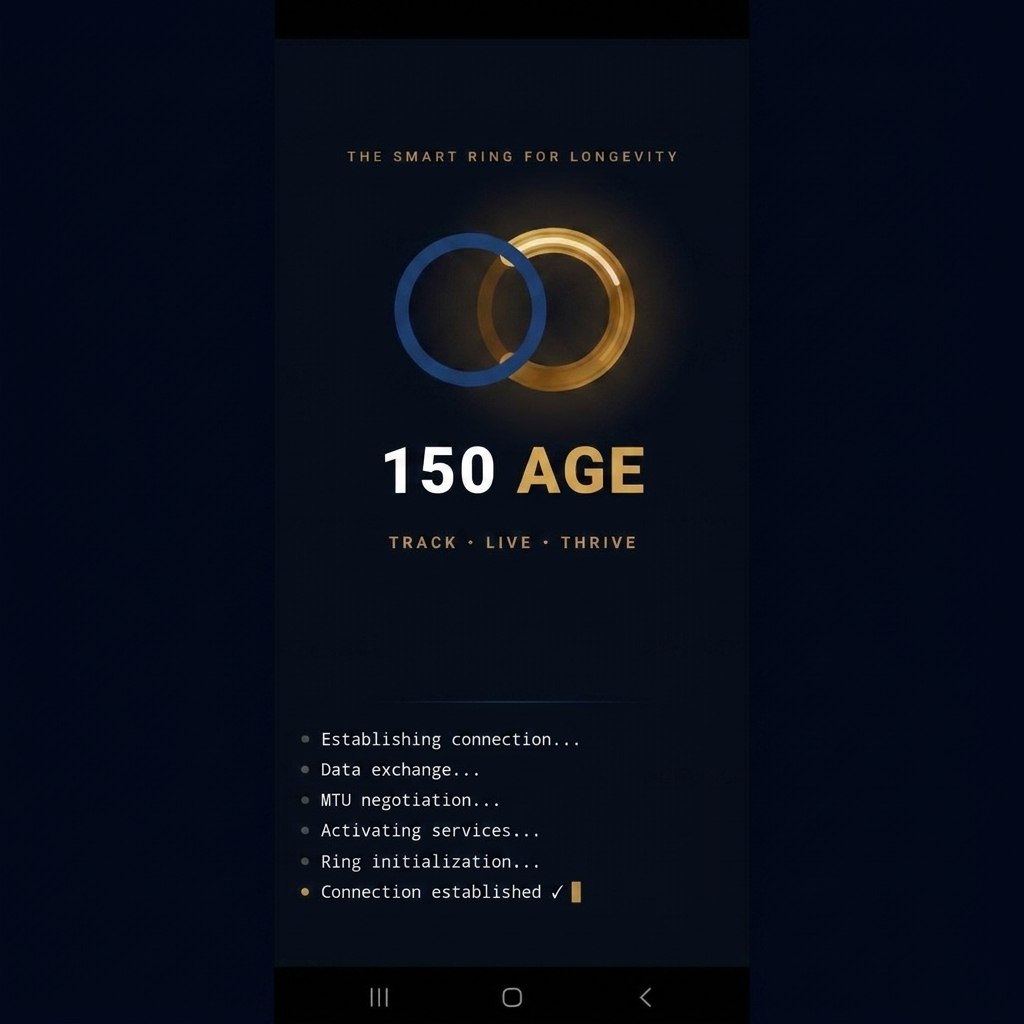
Bring the ring close to your phone. Open the app and tap "Connect." The app will show: Establishing connection → Data exchange → MTU negotiation → Activating services → Ring initialization → Connected.
Daily Use
4. Wear It 24/7
Wear the ring on your index or middle finger. It's lightweight (3g), waterproof (IP68), and comfortable for all-day and all-night wear. Clean with a soft cloth.
5. Check Your Dashboard
Open the app to see your Home screen: steps, distance, calories, real-time heart rate, SpO₂, temperature, and Energy score. All metrics update in real time.
6. Track Activity
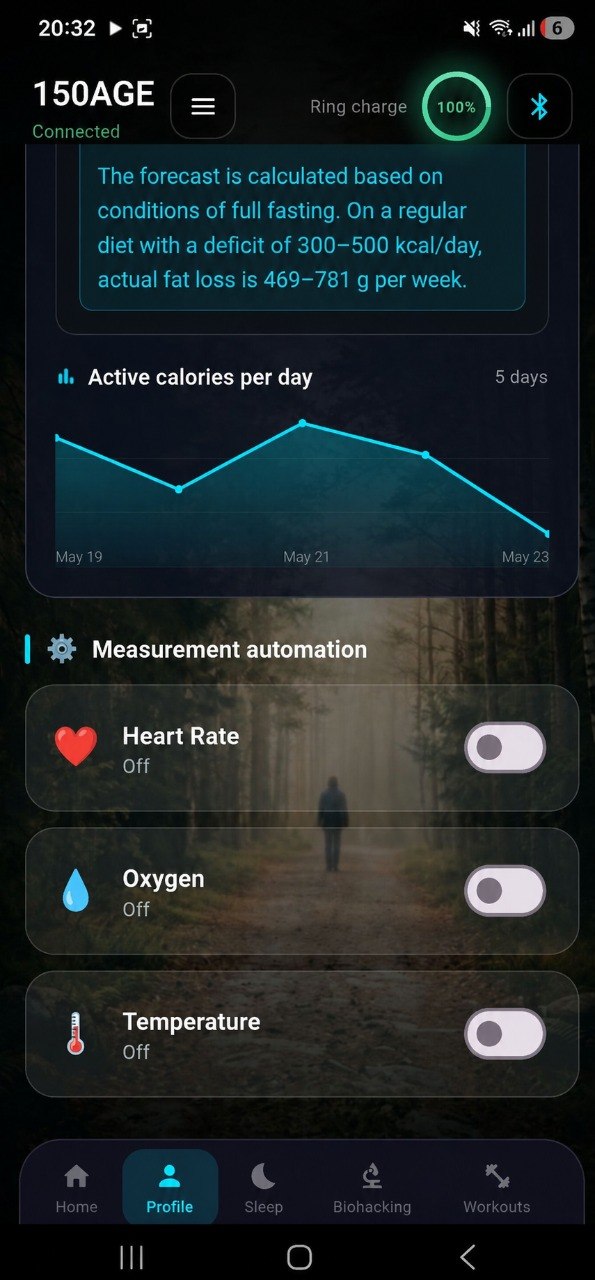
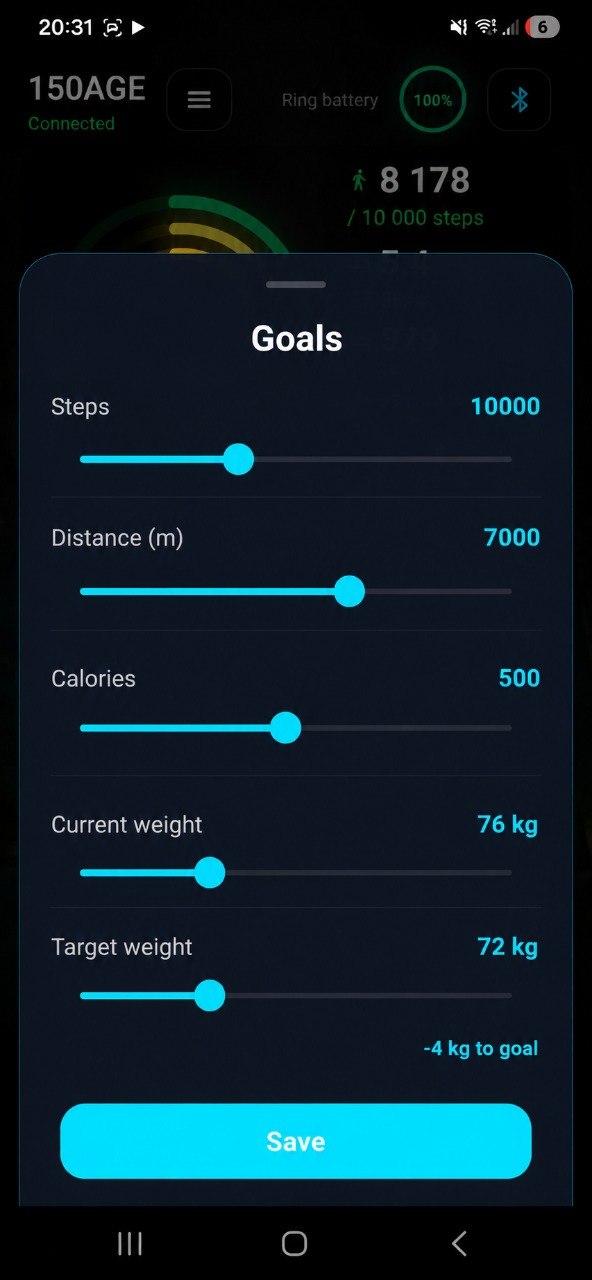
Set daily goals: 10,000 steps, 7 km distance, 500 active calories. The ring automatically detects walking, running, and workouts. View your progress throughout the day.
7. Log Your Weight
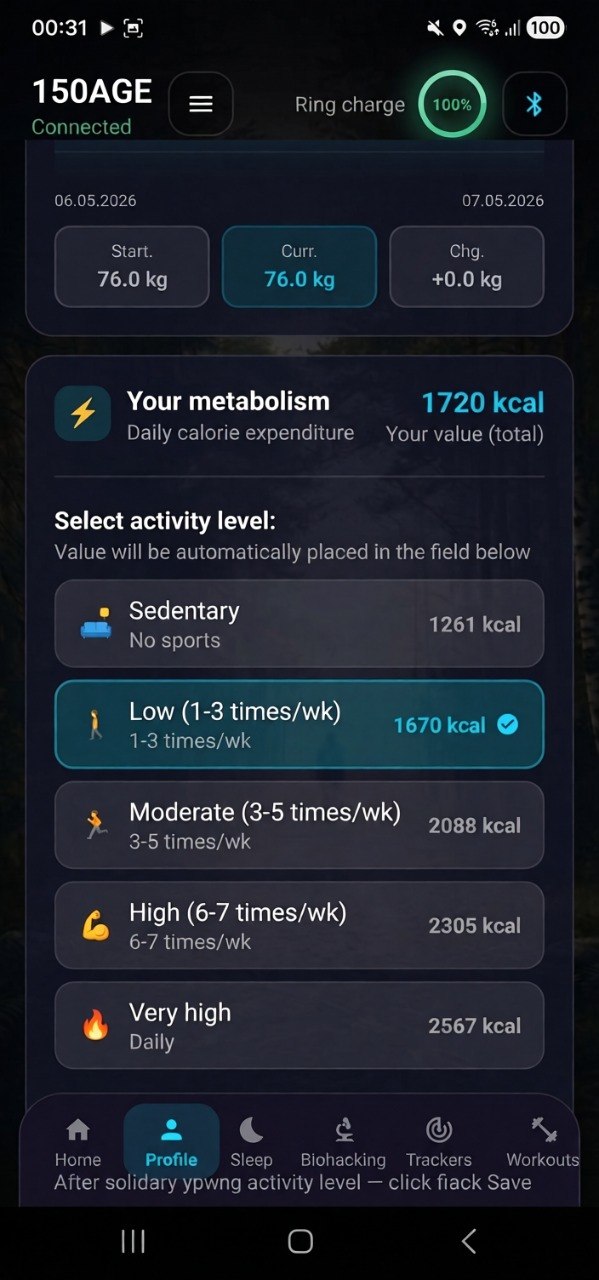
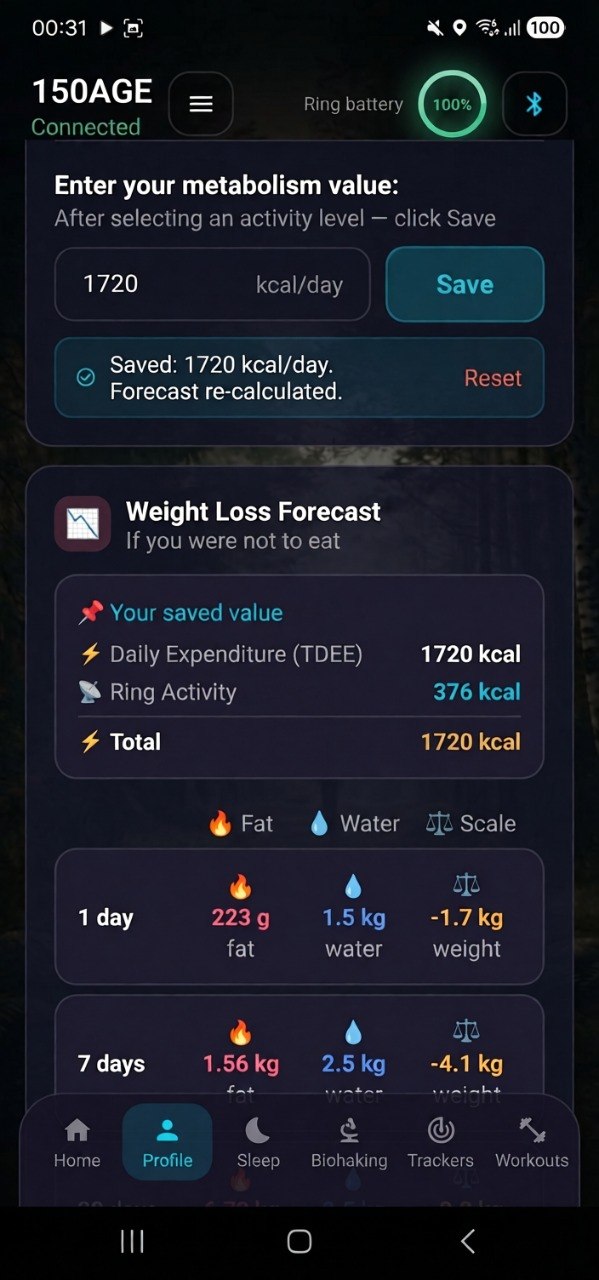
Enter your weight daily in the Profile section. The app tracks changes, calculates BMI, and shows your weight loss forecast based on your TDEE and calorie deficit.
8. Monitor Sleep
Wear the ring to bed. In the morning, view: total sleep time, deep/REM/light stages, sleep efficiency, bedtime analysis, and recovery score. The AI suggests optimal bedtime.
9. Check Biological Age
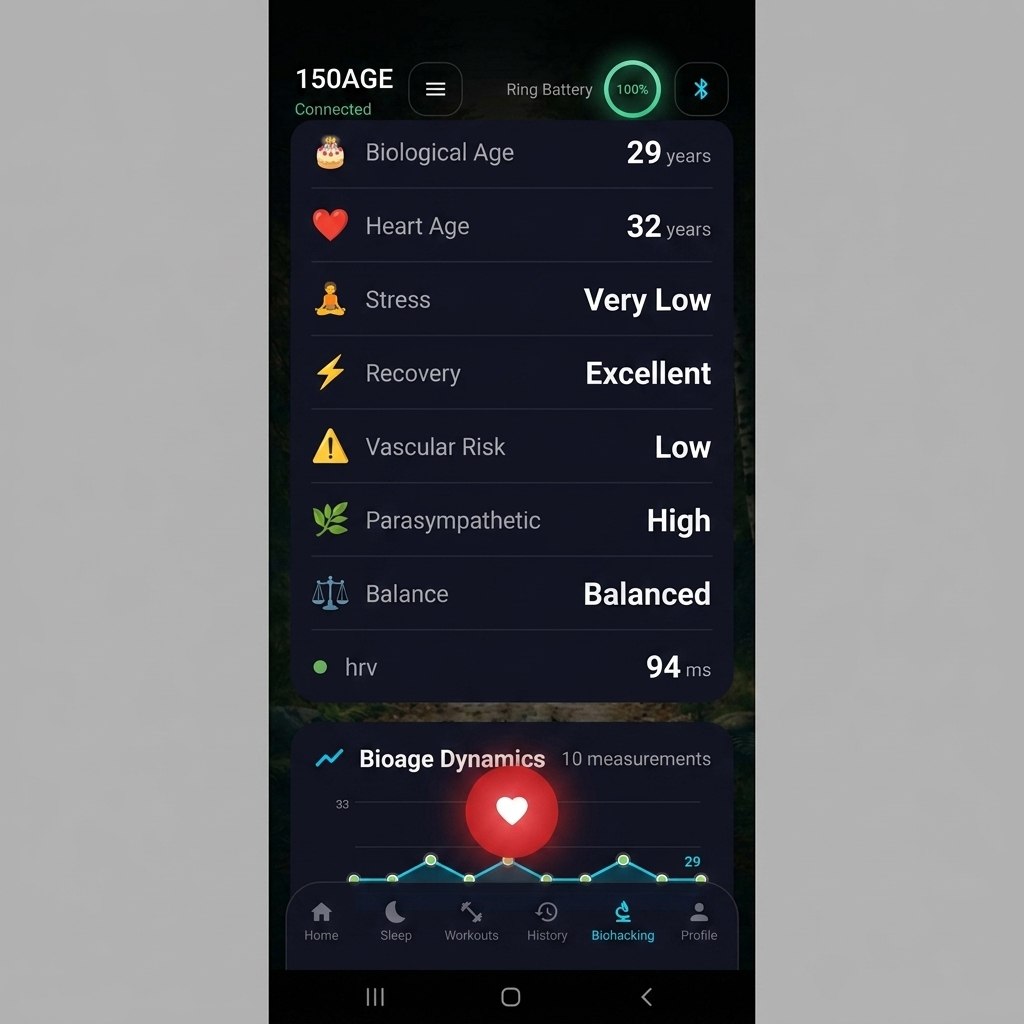
After 4+ hours of sleep, the app calculates your Biological Age using HRV, heart rate, temperature, and sleep data. Track changes over time — see how lifestyle affects your true age.
Advanced Features
10. HRV Analysis
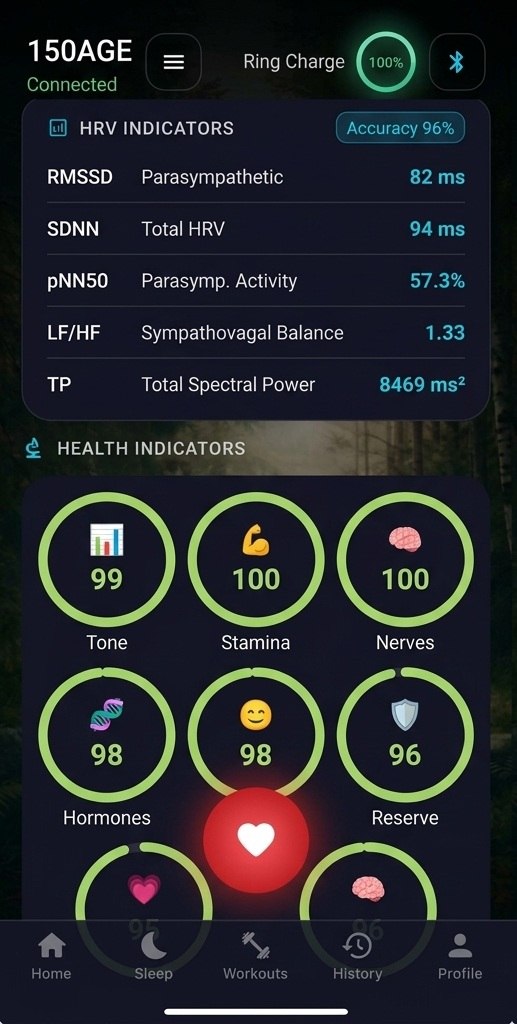
View your full Heart Rate Variability spectrum: RMSSD, SDNN, pNN50, LF/HF balance, and Total Power (TP). Accuracy: 96%. Higher HRV = better recovery and longevity.
11. Health Score
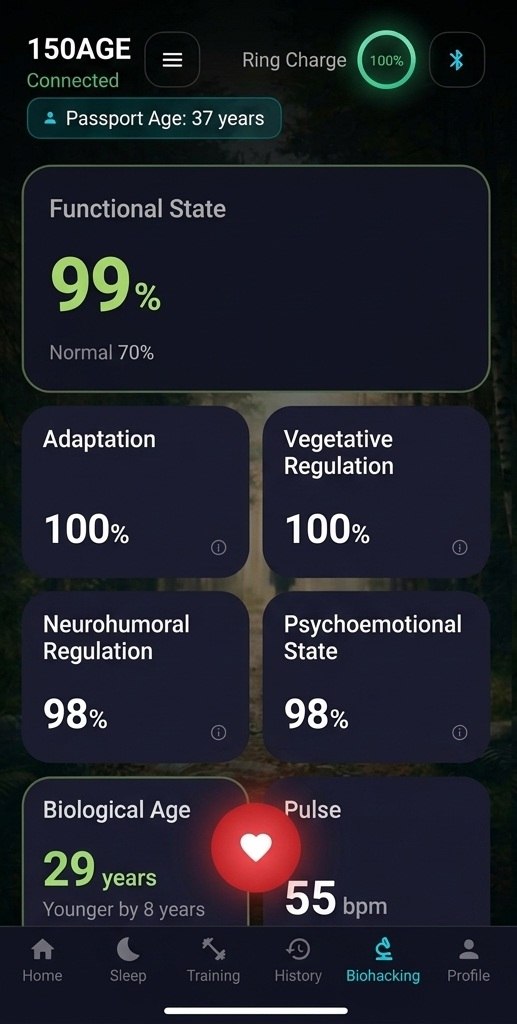
Six proprietary scores: Tone, Stamina, Nerves, Hormones, Mood, Reserve. Each is scored out of 100. Track your overall Functional State (norm: 70%).
12. AI Recommendations
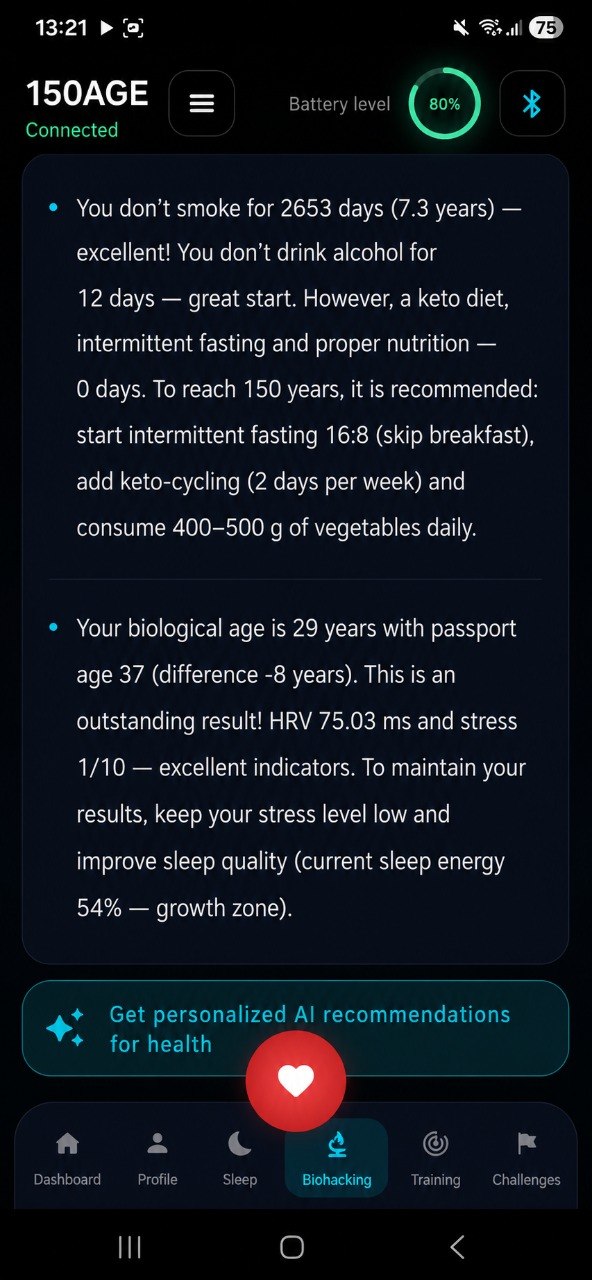
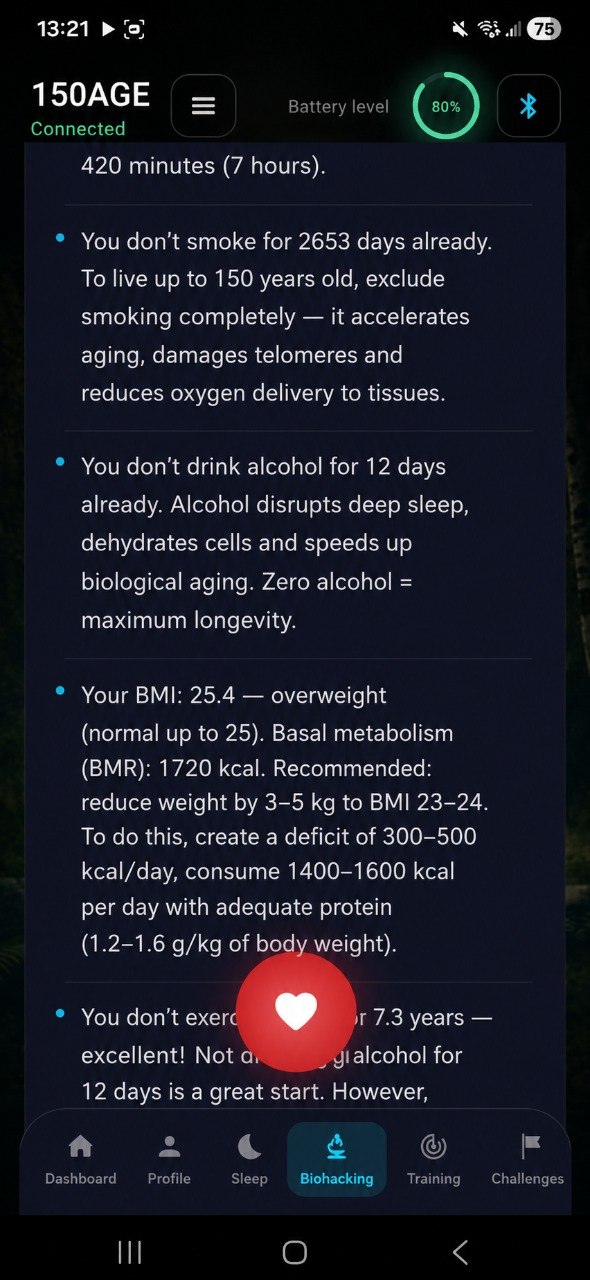
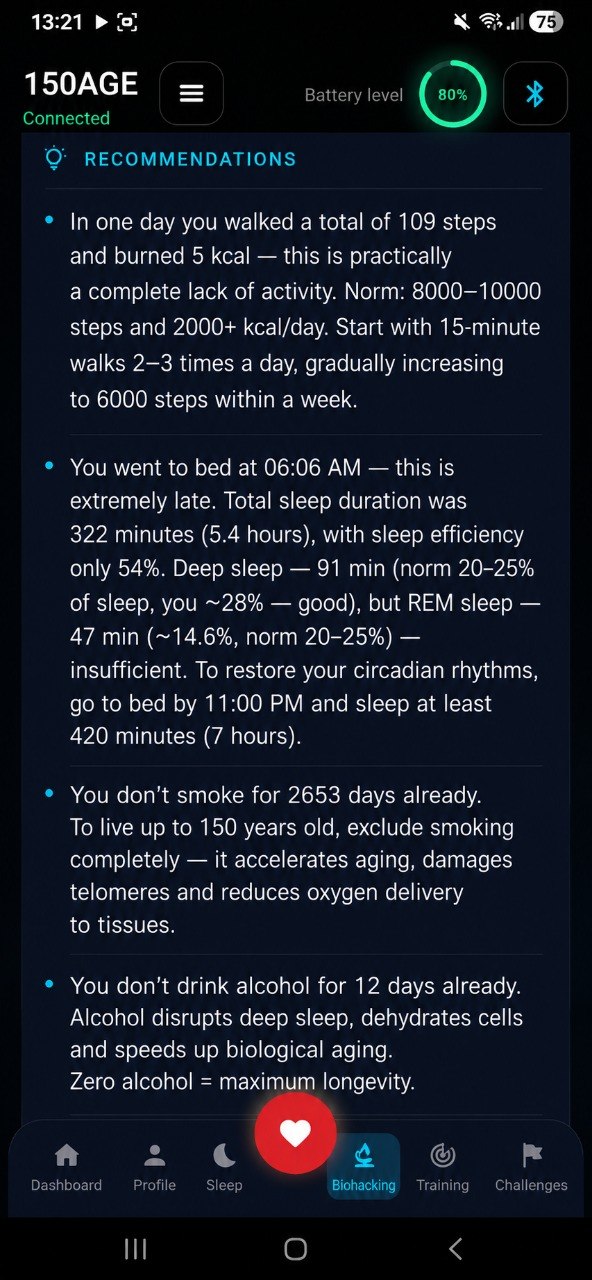
The AI analyzes your data and provides personalized biohacking advice: sleep schedule adjustment, intermittent fasting (16:8), keto-cycling, activity goals, protein targets, and more.
13. Habit Trackers
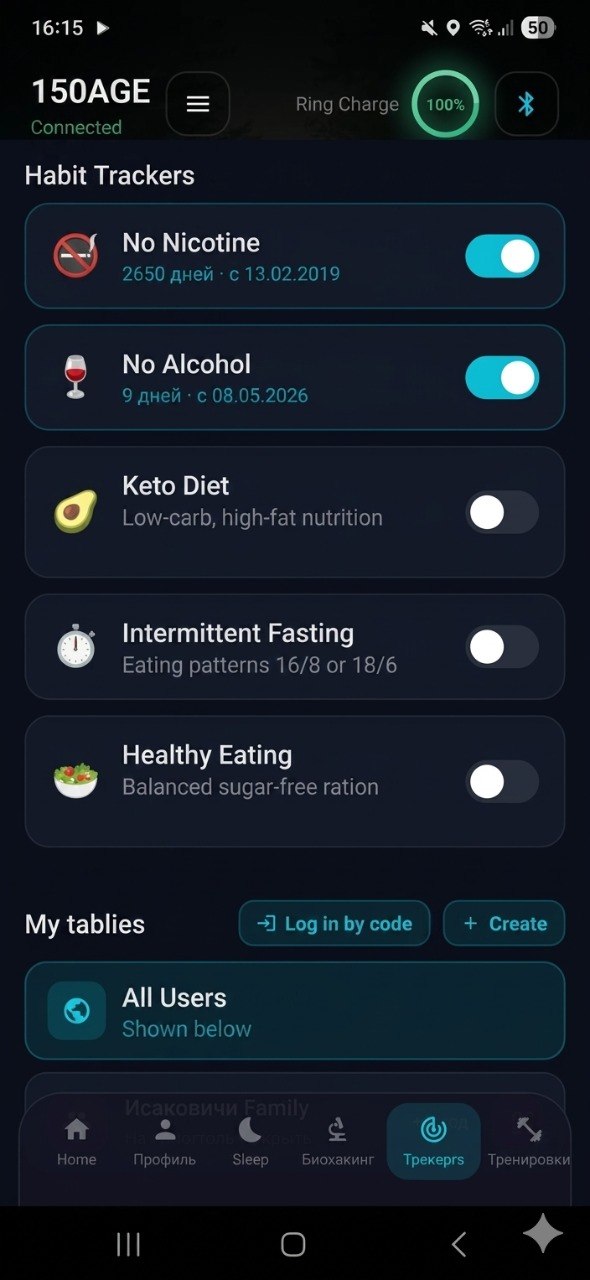
Track key longevity habits: No Nicotine, No Alcohol, Keto Diet, Intermittent Fasting, Healthy Eating. Each shows streak length and days since started. Stay accountable.
14. Family Groups
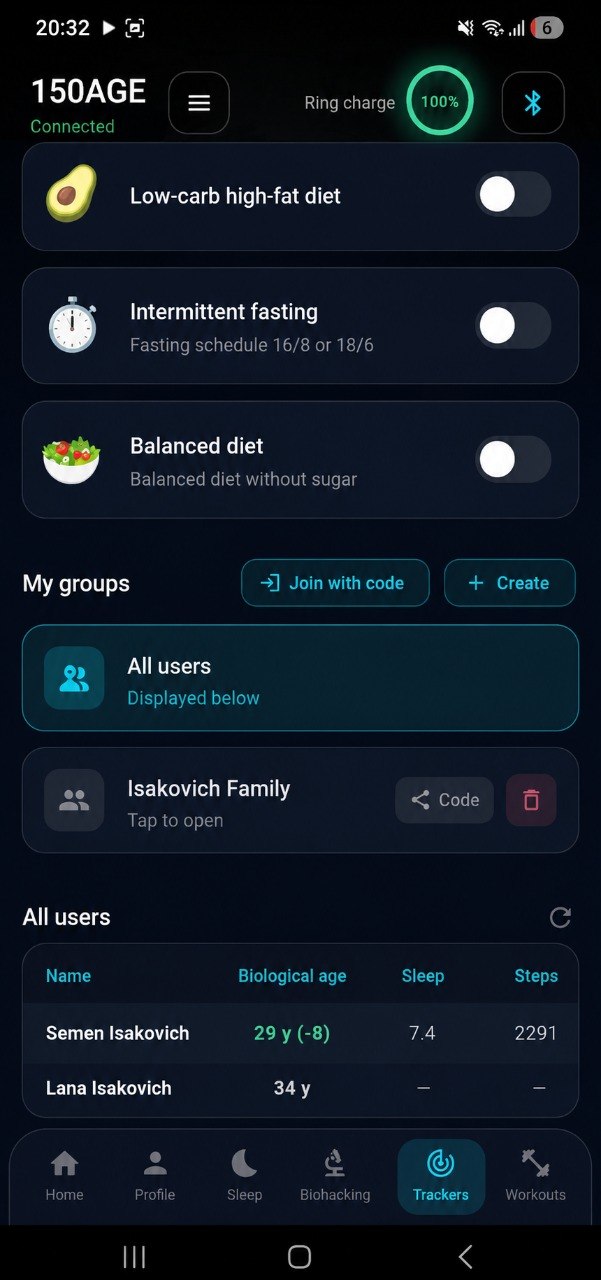
Create a group and invite family members. Compare biological age, sleep quality, step count, and health scores. Motivate each other toward better health.
15. View History & Trends
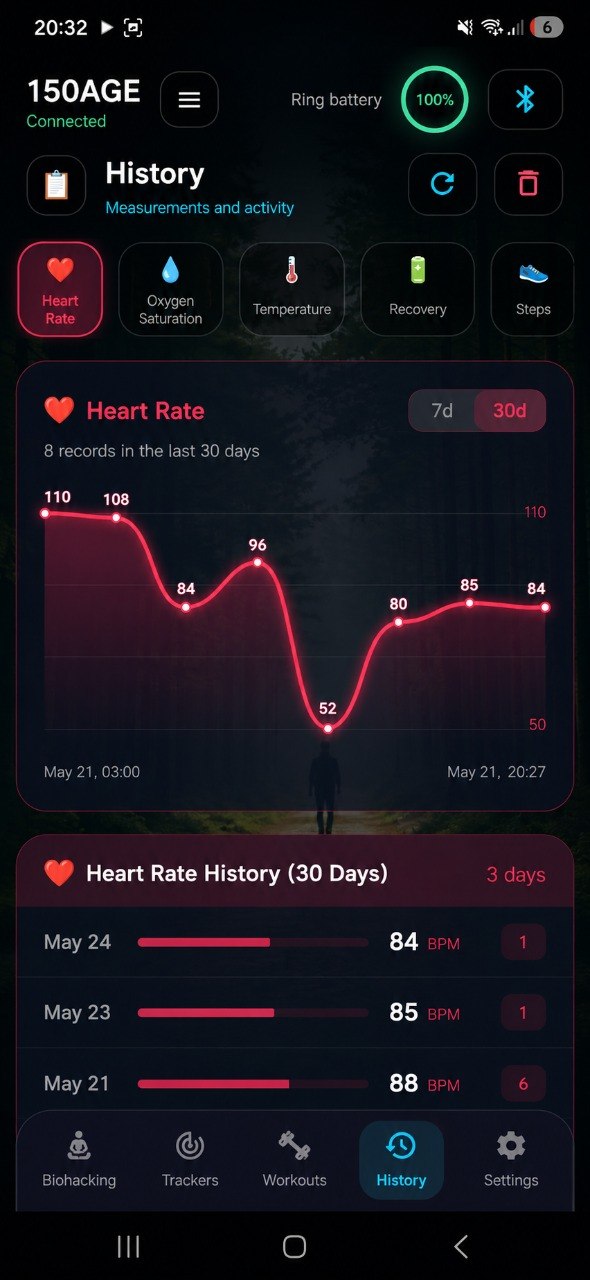
Access 30-day charts for heart rate, HRV, sleep, temperature, and weight. See weekly and monthly trends. Track your biological age progression over time.
Ready to know your true age?
Join 1,200+ people tracking their biological age with 150AGE.
See Pricing →App Screenshots
Every screen of the 150AGE app, from setup to advanced analytics.
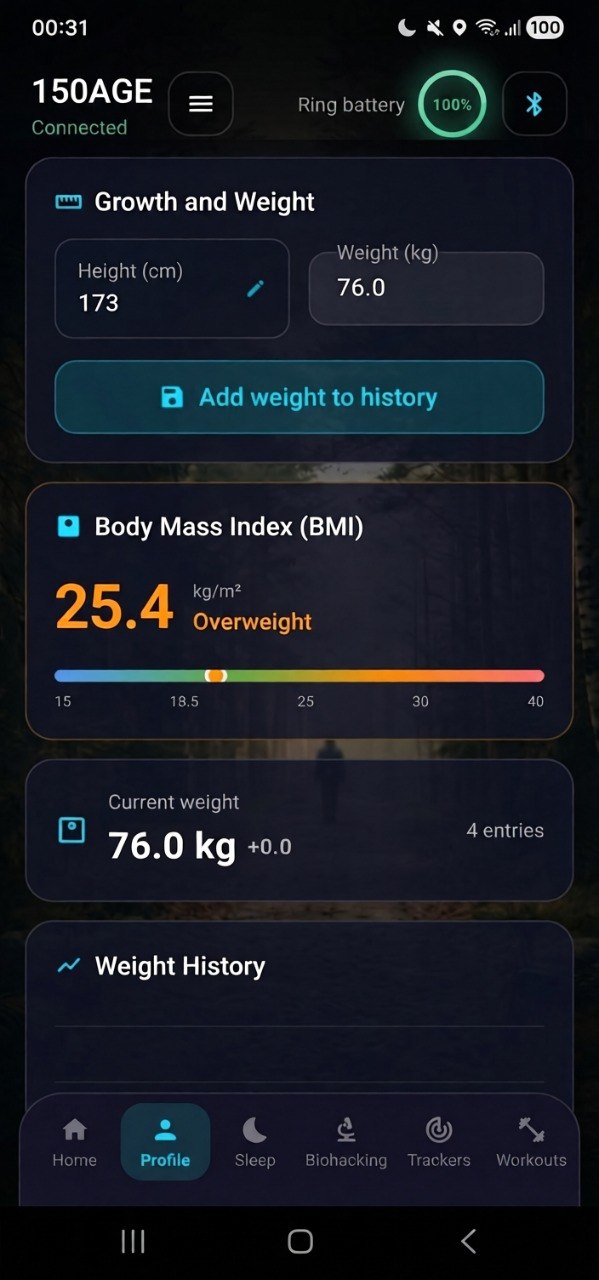 App Overview & Connection
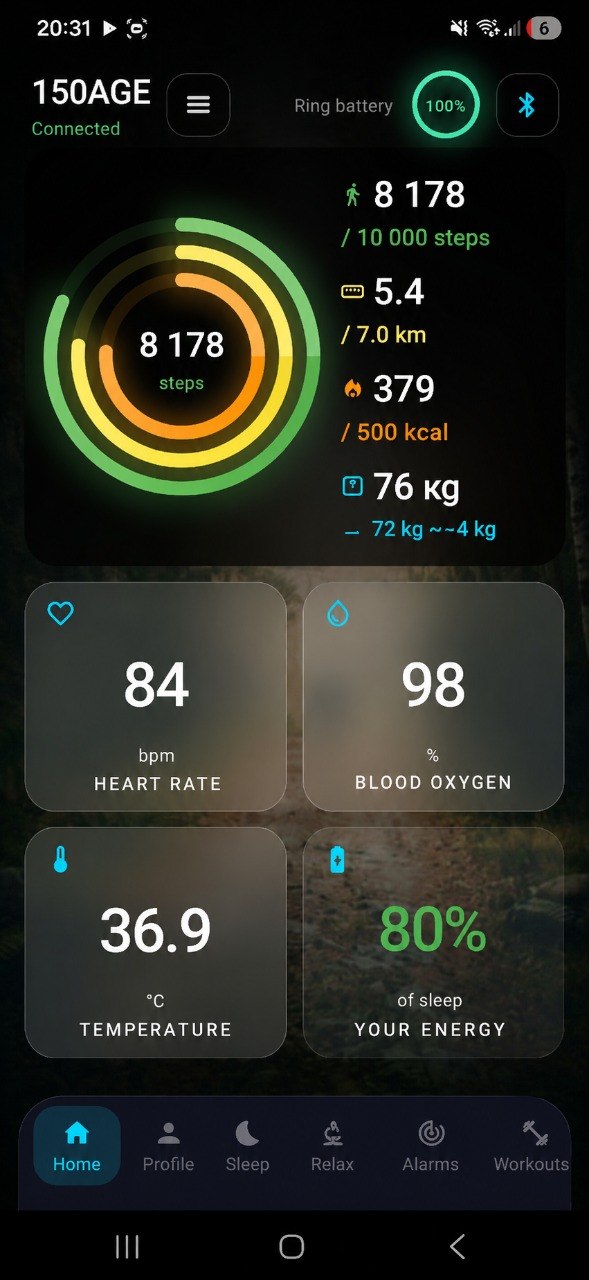 Dashboard — Activity & Vitals
 Profile & Body Metrics
 Metabolism & Calorie Tracking
 HRV & Health Score
 Biological Age — 8 Years Younger
 AI Biohacking Recommendations
 Habit Trackers & Health Summary
 Sleep Analysis
 Workout Tracking
 Biohacking & Groups
 History & Trends
 Relax & Recovery
 Alarms & Reminders
 Challenges & Training
 Settings & Automation